
Knowledge Center
AI-Assisted Search
What is AI-assisted search in the NIAID Data Ecosystem? #
The NIAID Data Ecosystem’s AI-assisted search improves on traditional keyword matching to help users find relevant resources more effectively. Instead of relying on exact keyword and metadata matches, the system uses machine learning models to identify concepts related to your search terms. AI-assisted search allows for more flexible and accurate discovery across the Discovery Portal’s many resources.
AI-assisted search in the NIAID Data Ecosystem prioritizes metadata fields in order of length. Shorter fields that typically contain just a few words (such as species or measurement technique) are considered first, while longer fields that contain sentences or paragraphs (like name or description) are considered afterward. This approach helps the model focus on specific technical terms before considering longer descriptions. The ordering (concise to verbose) helps with technical term matching while still incorporating full context. This helps the system capture precise research-relevant details.
What can AI-assisted search do? #
AI-assisted search goes beyond exact word matching. It can recognize different terms that refer to the same concept, helping you find datasets even when your search terms don’t exactly match resource metadata. For example, you could enter a query like “Show T-cell datasets to analyze gene expression in autoimmune disease”. While classic search would use an exact text-matching approach, AI-assisted search will surface more conceptual matches. For example, AI-assisted search would also retrieve datasets on "Th1 cells" or "Tregs", and datasets on specific autoimmune diseases like "rheumatoid arthritis" or "lupus".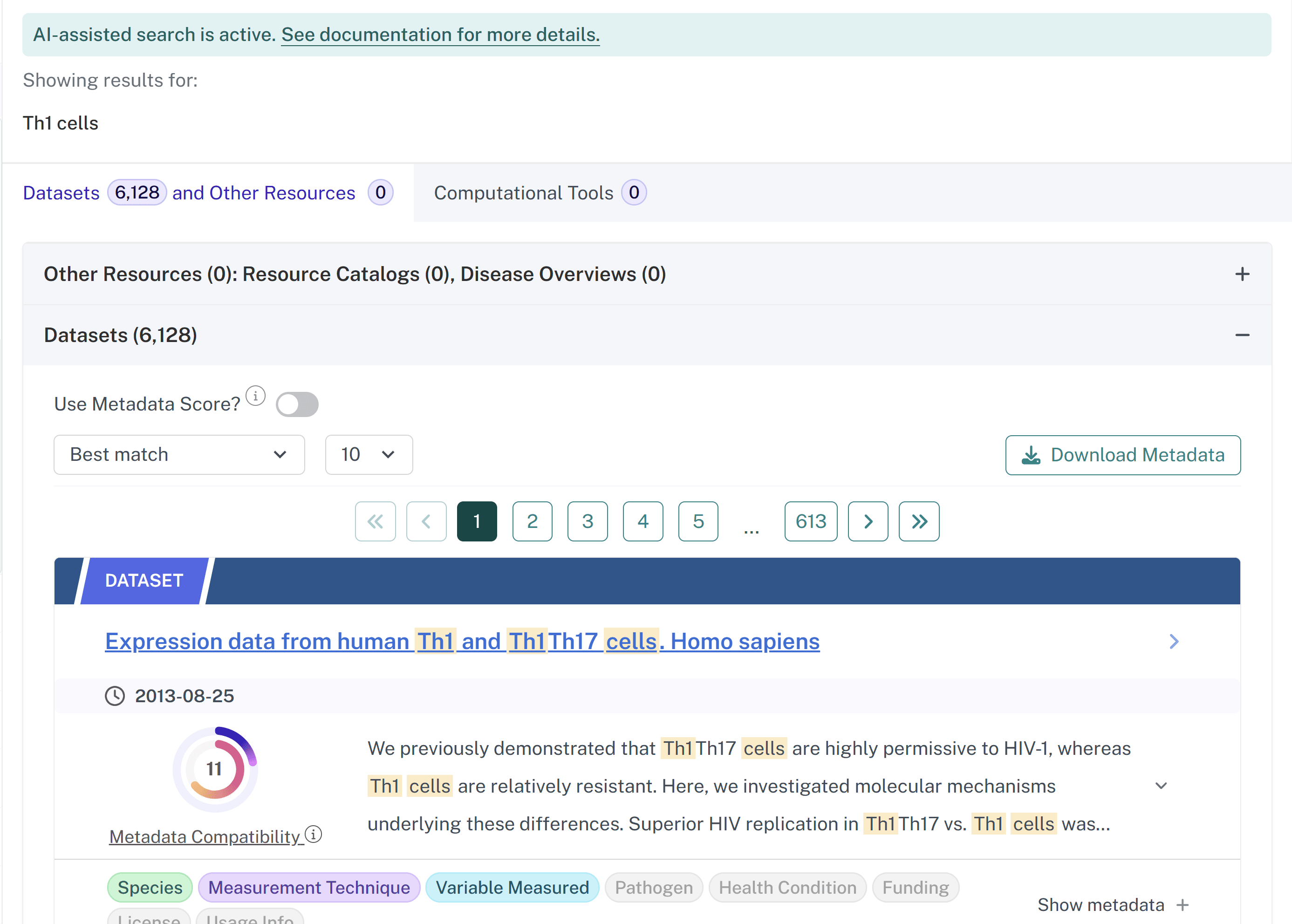
What can AI-assisted search not do? #
AI-assisted search has some limitations:
- It uses AI to improve search results, but does not act as an AI assistant or chatbot. It cannot answer data-related questions, interpret results, or analyze data.
- AI-assisted search helps find existing datasets and resources that are already part of the NIAID Data Ecosystem. It does not have access to external databases and cannot search for information beyond what is represented in the Discovery Portal’s indexed metadata.
- Like classic search, relevant resources may still not appear if metadata is incomplete.
- It may return more relevant results, but it does not replace filtering or ontological-based searching for refining results.
- The model may identify related terms, but it cannot interpret data quality or research applicability.
How does AI-assisted search differ from classic search? #
As opposed to classic search, AI-assisted search surfaces the most relevant results rather than displaying all possible matches. When AI-assisted search is turned on, results are ranked and limited to a maximum of 1,000 records to ensure relevance and fast response times.
Additionally, when interacting with filters or navigating between different tabs, AI-assisted search triggers a new search to reflect the refined criteria. This dynamic adjustment helps surface the most relevant resources. The displayed number of results may change as a result.
How do I use AI-assisted search? #
Make sure the AI-assisted search toggle is on. #
On the landing page, the toggle is above the search bar.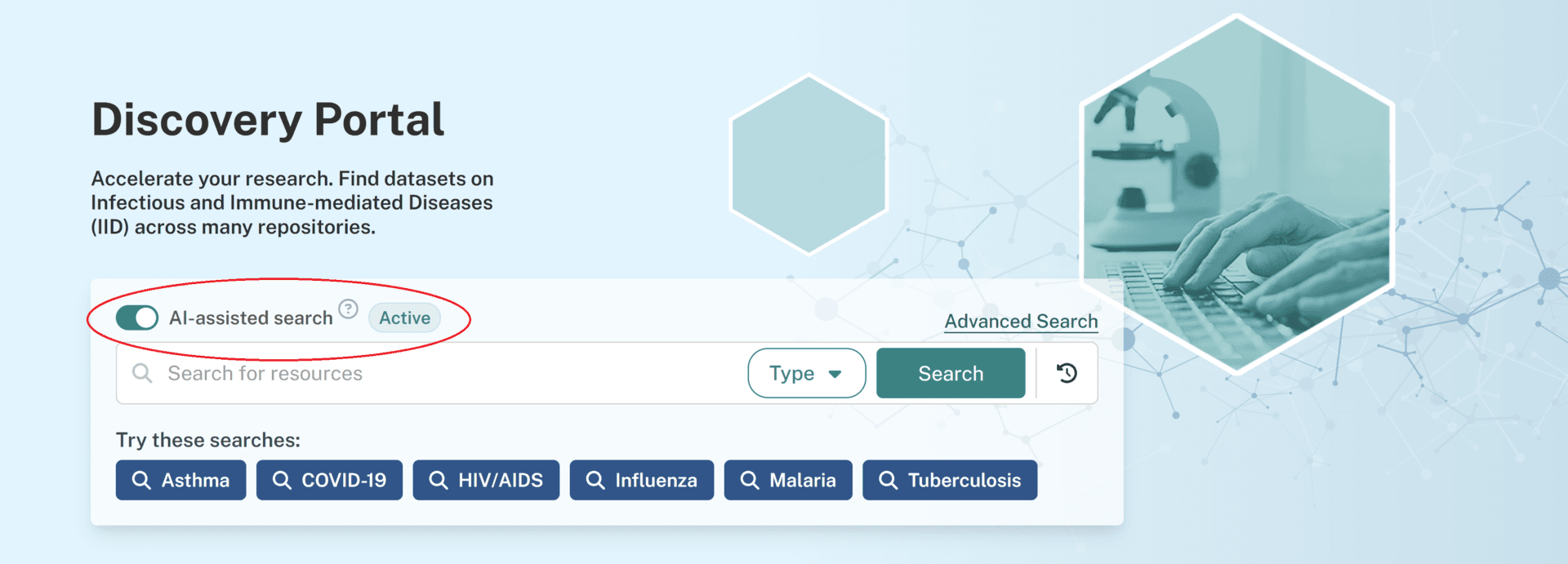 On the search page, the toggle is above the search results.
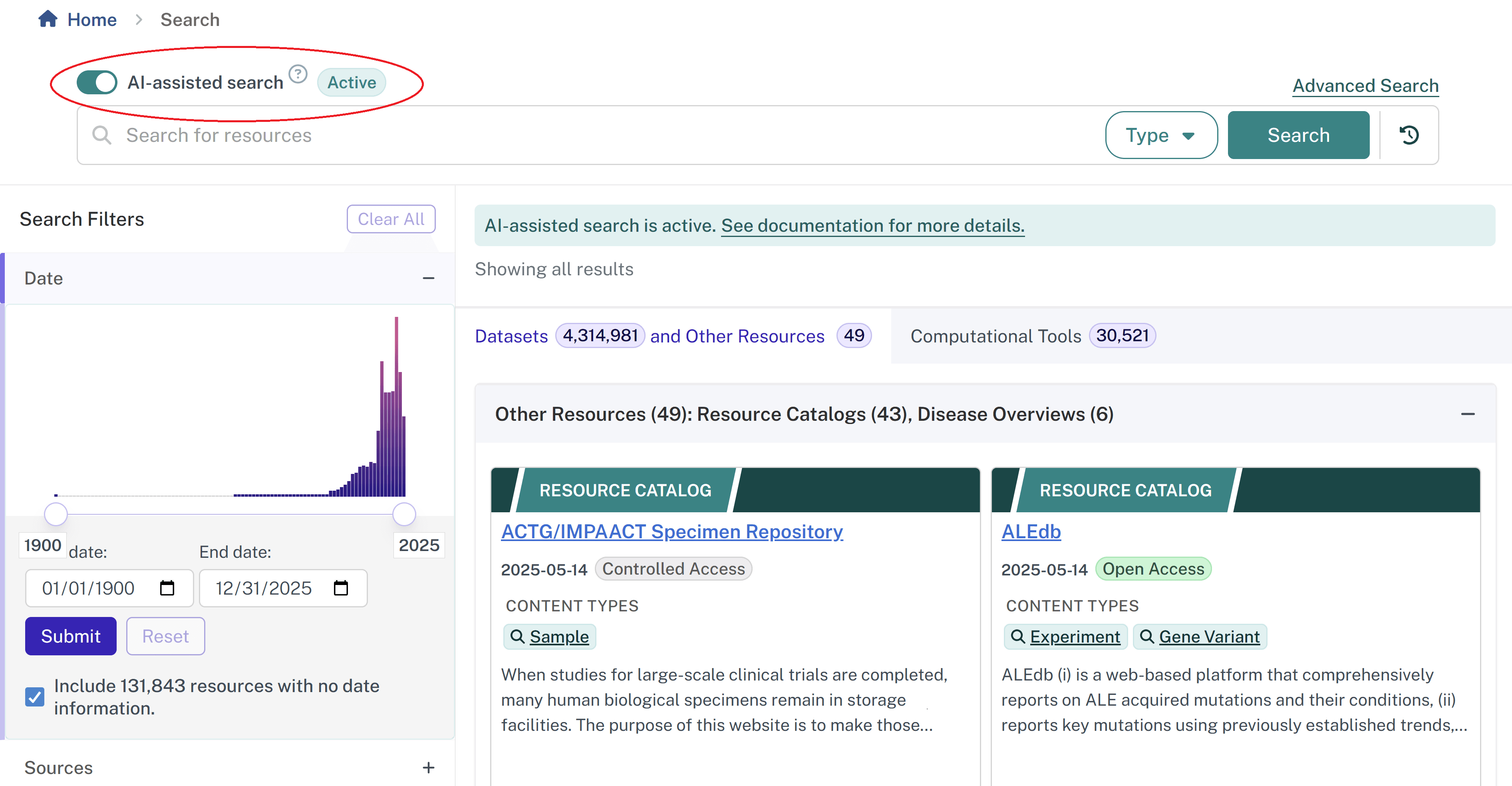
Once you have entered a query with AI-assisted search on, you will see a banner above your search results that says “AI-assisted search is active.”
Use natural language instead of just keywords. #
You can enter your search query as a phrase or question without having to use the exact right keywords. AI-assisted search interprets your query to return conceptually-related results even if the exact words do not appear in the metadata. For example, searching “Datasets showing the impact of covid-19 in pregnancy” will return relevant datasets even when the datasets do not have descriptive titles containing any of those keywords.
Compare results with AI-assisted search on and off. #
If you are exploring a topic, try toggling AI-assisted search on and off to see how the results differ. AI-assisted search may uncover resources you cannot find through classic keyword matching alone. For example, the query “Show T cell datasets to analyze gene expression in autoimmune disease” produces more relevant results with AI-assisted search turned on.
Last updated on